BlackBerry Keyboard4.1904.3.16701
Publisher Description
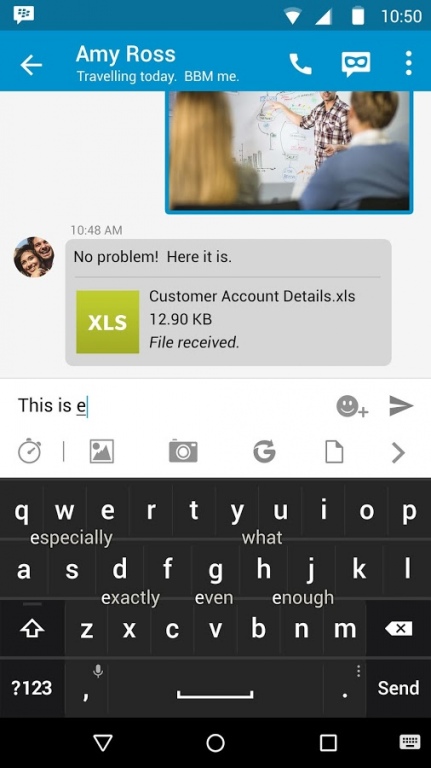
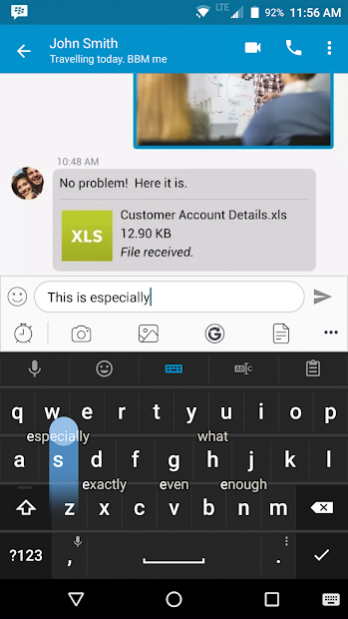
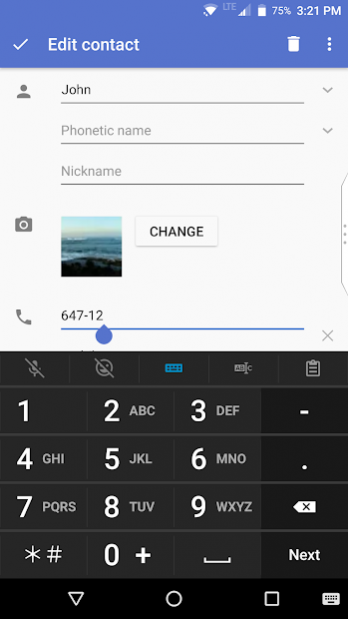

The BlackBerry® Keyboard includes several components that work together to deliver an optimal user input. With a complementary set of on-screen keyboards for touch interaction and fast access to the most critical text elements, this keyboard simplifies text input.
Major Features:
• Predictions and suggestions can autocorrect your typos, offer suggestions for the next word, and remember words you use often
• Multi-language keyboards allow you to quickly change the language you are typing in, just by adding a new language to your list of available input languages
• Customizable quick phrases and number pad can be easily accessed by sliding the keyboard left or right
• Flick gestures let you select words from the prediction bar and input them directly into the text field
• Text selection and fine cursor control lets you format your work properly to give it a polished and professional appearance
• Type by swiping your finger from letter to letter to form words and sentences without having to remove your finger from the keyboard
• Quick modes let you easily access your productivity features such as voice input, emojis, fine cursor control, clipboard, and settings
Enjoy BlackBerry Keyboard for free on your BlackBerry® device!
For support, visit docs.blackberry.com/en/apps-for-android/keyboard/
About BlackBerry Keyboard
The company that develops BlackBerry Keyboard is BlackBerry Limited. The latest version released by its developer is 4.1904.3.16701. This app was rated by 5 users of our site and has an average rating of 2.3.
To install BlackBerry Keyboard on your Android device, just click the green Continue To App button above to start the installation process. The app is listed on our website since 2019-08-27 and was downloaded 63 times. We have already checked if the download link is safe, however for your own protection we recommend that you scan the downloaded app with your antivirus. Your antivirus may detect the BlackBerry Keyboard as malware as malware if the download link to com.blackberry.keyboard is broken.
How to install BlackBerry Keyboard on your Android device:
- Click on the Continue To App button on our website. This will redirect you to Google Play.
- Once the BlackBerry Keyboard is shown in the Google Play listing of your Android device, you can start its download and installation. Tap on the Install button located below the search bar and to the right of the app icon.
- A pop-up window with the permissions required by BlackBerry Keyboard will be shown. Click on Accept to continue the process.
- BlackBerry Keyboard will be downloaded onto your device, displaying a progress. Once the download completes, the installation will start and you'll get a notification after the installation is finished.
Program Details
System requirements
Download information
Pricing
Version History
version 4.1904.3.16701
posted on 2019-08-27
. Improved typing experience when your input language is set to Traditional Chinese (Cangjie)
version 3.2.0.14529
posted on 2018-02-22
• Customize the number pad to include symbols and emojis
• Updates to some of the Chinese language to include missing characters
• Updates to some of the Indian language to include missing characters
• Minor enhancements and stability fixes
version 3.1.0.13834
posted on 2017-12-13
• Slideboard: slide the virtual keyboard left or right to quickly access the number pad and a list of quick phrases.
• Minor enhancements and stability fixes
version 2.5.0.10207
posted on 2016-12-01
This release provides enhancements to language switching, new Chinese input methods, support for unlocking Password Keeper autofill with a fingerprint, and general performance improvements. The release includes:,• Visual enhancements and quicker response when you switch languages,• New Chinese input methods like Stroke and Zhuyin,• Ability to unlock Password Keeper autofill with a fingerprint (if your device has a fingerprint sensor),• Bug fixes and performance improvements
